
Google Messages App Overview
Google Messages is a popular messaging application developed by Google for Android devices. It allows users to send and receive SMS, MMS, and RCS (Rich Communication Services) messages. The app features a clean interface, support for multimedia messages, chat features, and integration with other Google services.
Key Features:
- SMS & MMS Support: Send standard text messages and multimedia content like photos, videos, and audio messages.
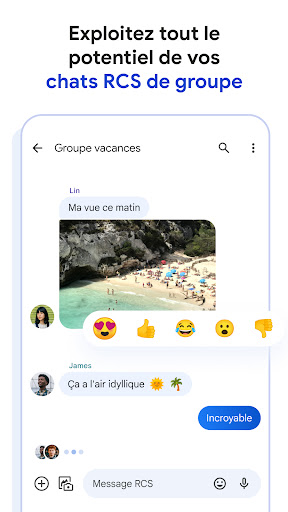
- RCS Messaging: Enhanced messaging features such as read receipts, typing indicators, high-resolution photo sharing, and group chats (available on supported carriers and devices).
- Chat Features: Send and receive stickers, emojis, and GIFs.
- Customization: Change chat colors, themes, and customize notifications.
- Integrated Search: Search through messages for specific content or contacts.
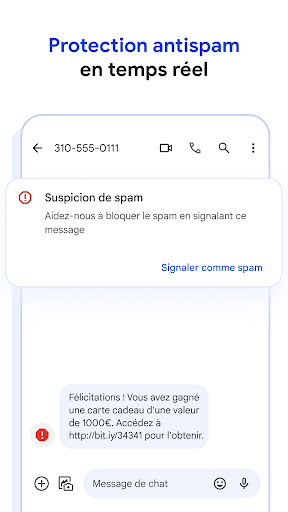
- Spam Protection: Block and report spam messages.
- Web & Desktop Access: Send and receive messages from your computer via the Messages for Web feature.
How to Use Google Messages:
- Download & Install: Available on the Google Play Store.
- Set as Default: When you open the app for the first time, you can set it as your default messaging app.
- Start Messaging: Tap the '+' icon to start a new conversation, select a contact, and begin messaging.
- Manage Settings: Customize notifications, chat features, and appearance through the app settings.